

How it works for real-estate companies
Last updated: October 14, 2026
From sign-up to your first inquiry
Betonna is built to help real-estate companies in Iraq present their properties professionally and reach serious clients. Here is how to get started, step by step.
1. Choose your account type
Open the sign-up page and choose "Real-estate company". Your account type decides which tools you will see; clients and service providers each have their own sign-up path.
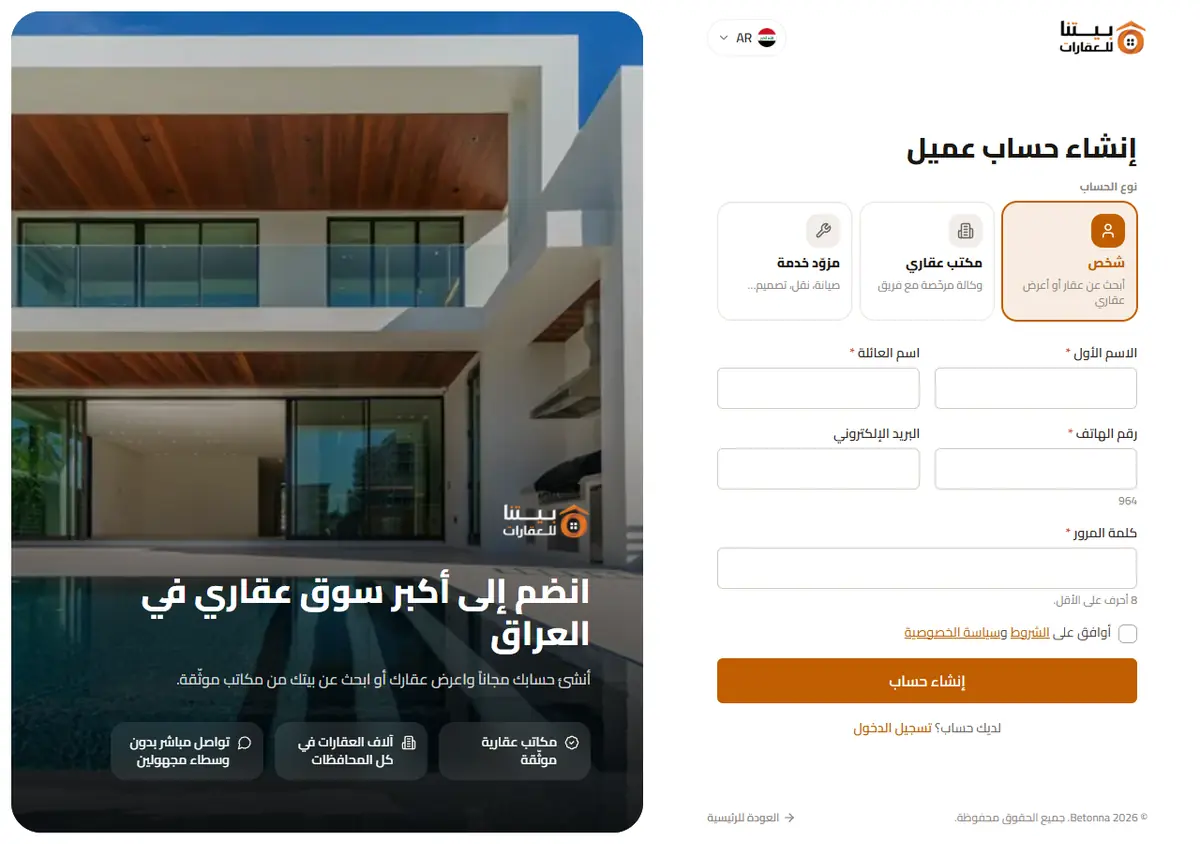
2. Enter your company details and verify
Enter your company name, city and contact details, and attach your business licence. Verify your phone number with the code we send you by SMS. The more complete and accurate your details, the faster the review.
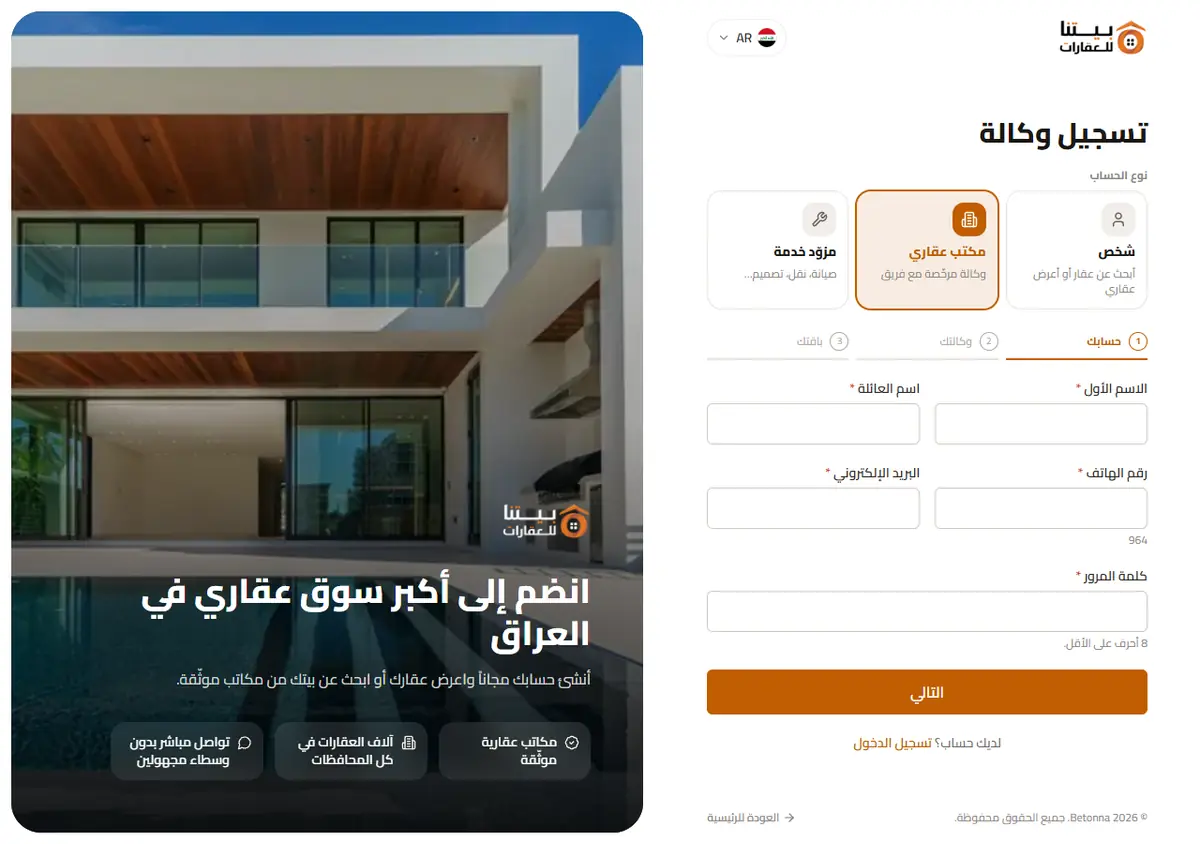
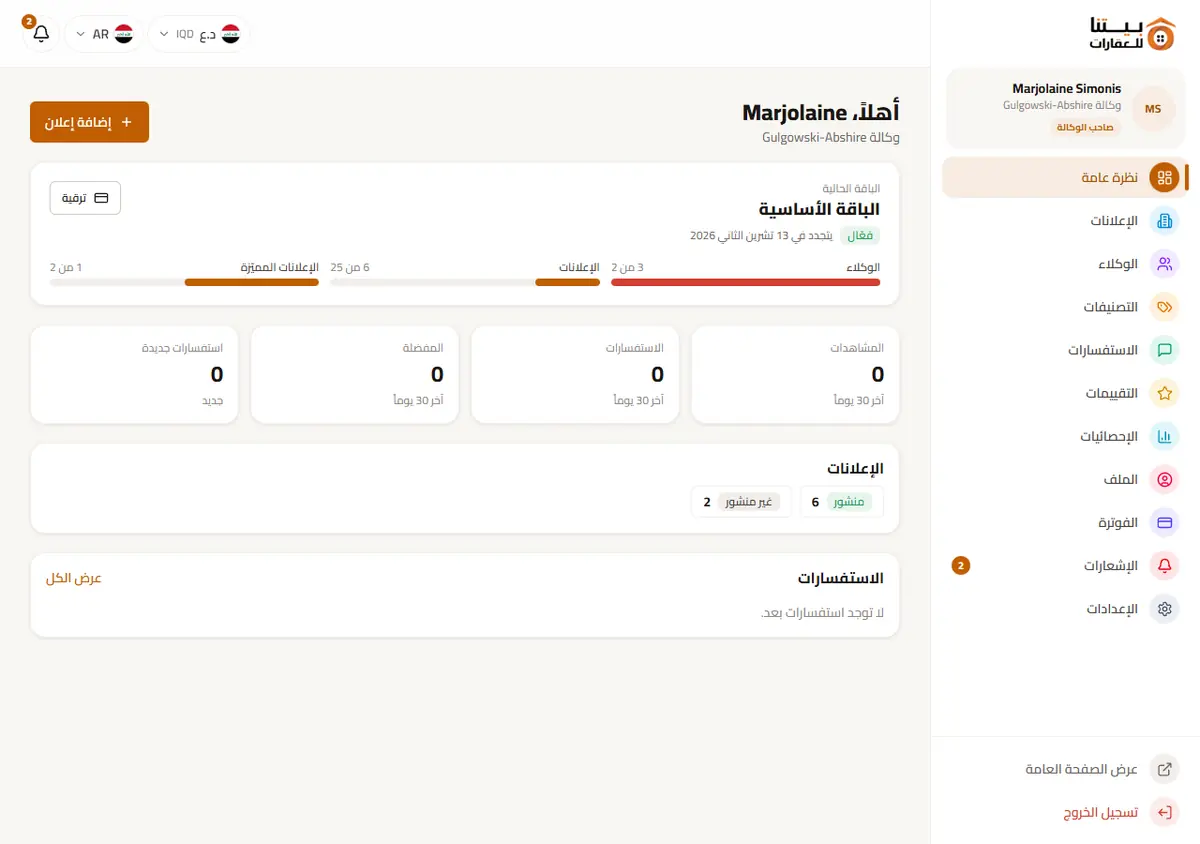
3. Approval and your dashboard
Our team reviews your application and checks your licence, and you are notified of the decision. Once approved, you land in your dashboard, where you choose a plan, start your free trial and complete your company page with a logo, cover and description.
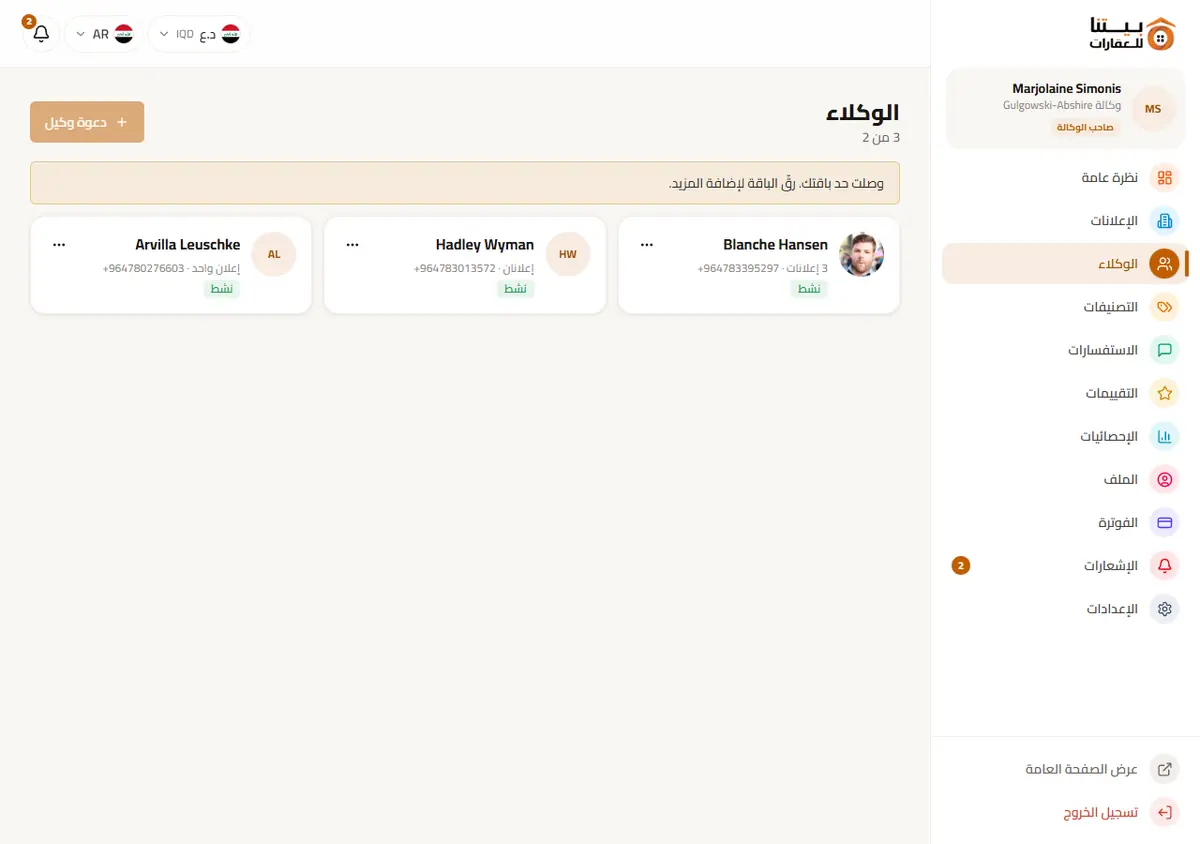
4. Invite your representatives
Add your representatives from the team section. Each representative receives an invitation to set their own password, then starts publishing listings and handling inquiries on behalf of your company. The number of representatives depends on your plan.
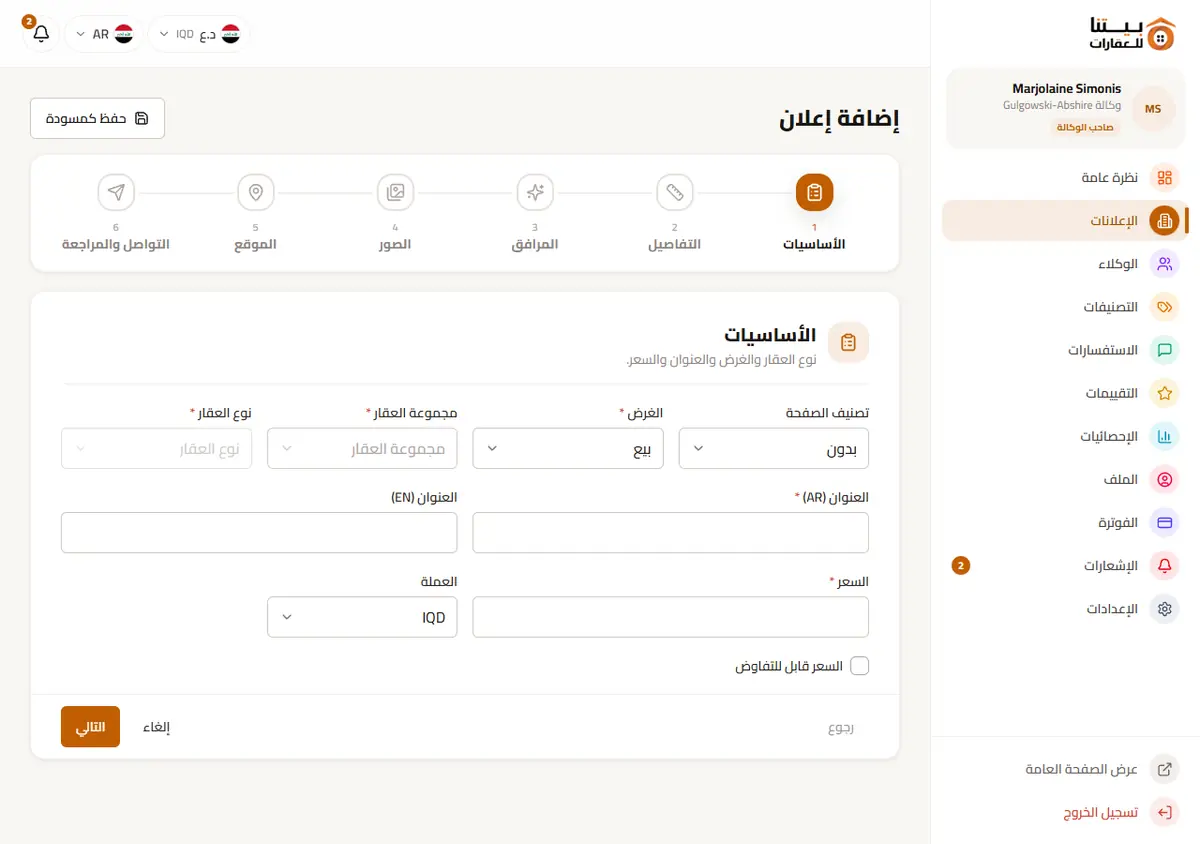
5. Publish with the listing wizard
The wizard takes you through a few short steps: property type and purpose (sale, rent or investment), location on the map (exact or approximate), details, price and amenities, photos, and finally review and publish. A listing may go through a short moderation check before it is visible to visitors.
6. Your listing is live and inquiries arrive
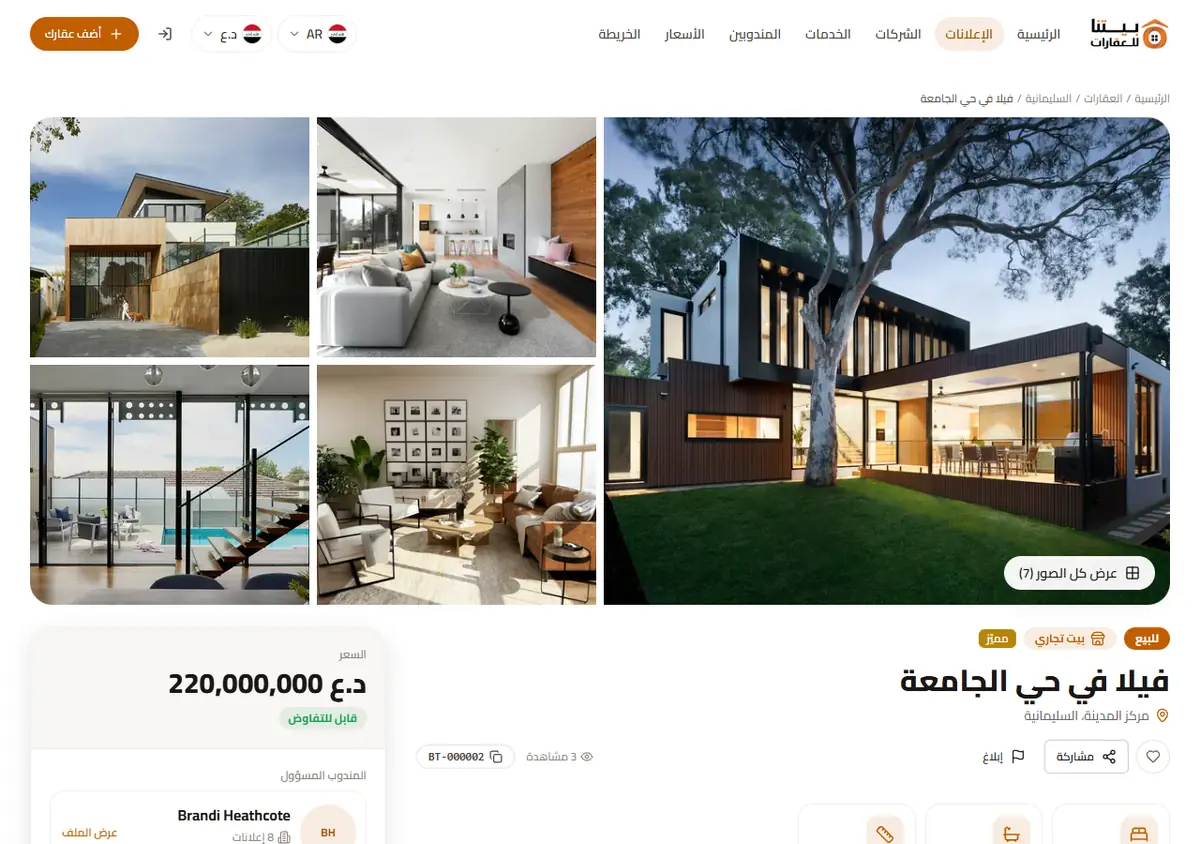
Every listing gets its own page and a reference number such as BT-000123. Clients reach you by in-app message, WhatsApp or a direct call, and you follow every inquiry and your view statistics from the dashboard. Depending on your plan, you can also feature some of your listings.
Tips for better results
- Use clear, well-lit photos that cover every room and the exterior.
- Show a real price and an accurate description, and update the listing as soon as the property is sold or rented.
- Pin the exact location on the map whenever you can; it is one of the first things clients look for.
- Reply to inquiries quickly. Fast replies improve your chances of closing a deal and your company ratings.
- Avoid publishing the same property twice; feature your best listings instead.
Get started
Register your real-estate company today and read how plans and billing work to pick the right plan. Have a question? Contact us.